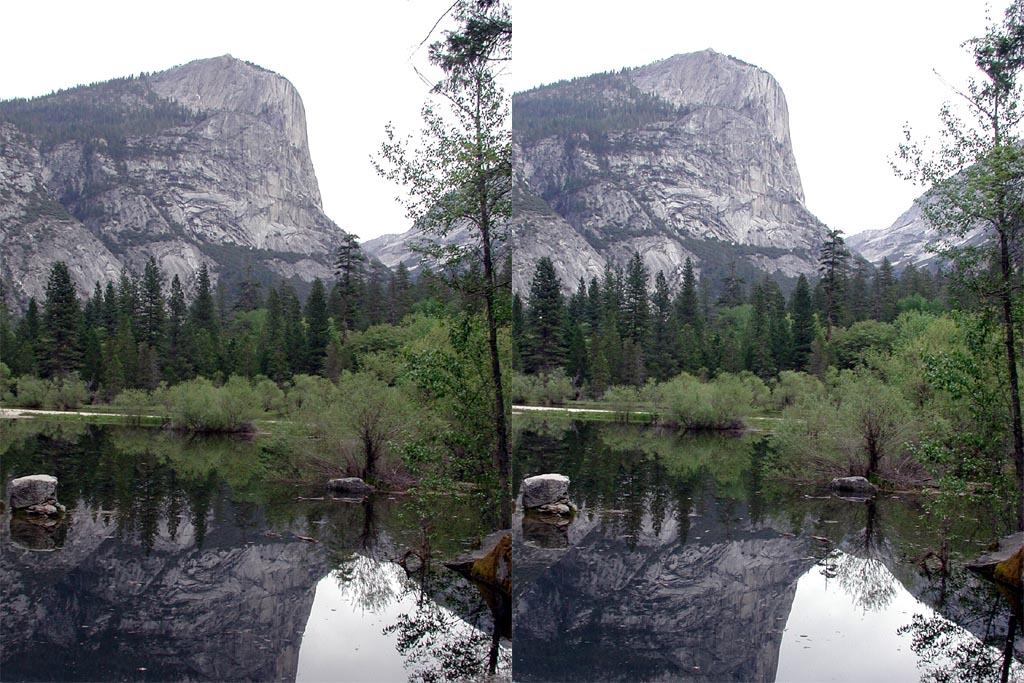
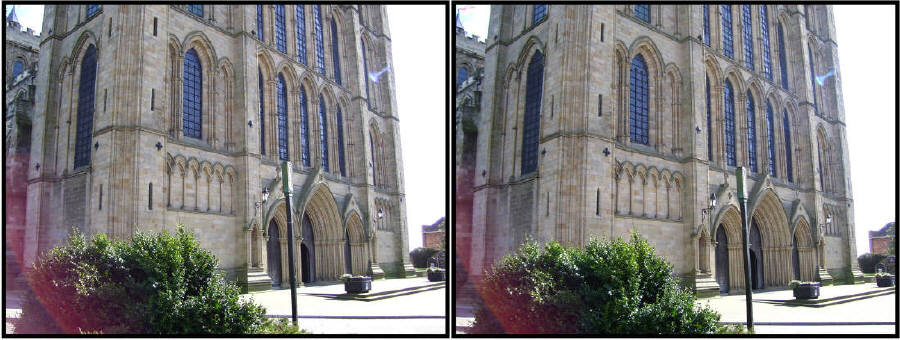
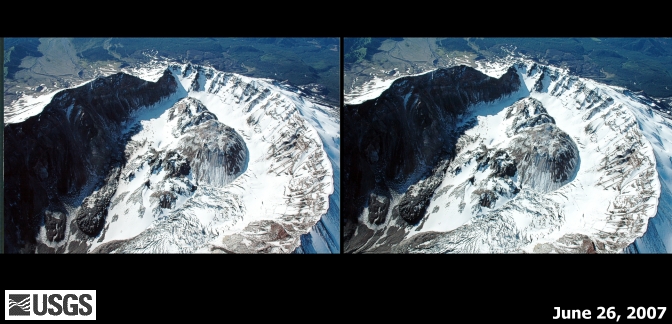
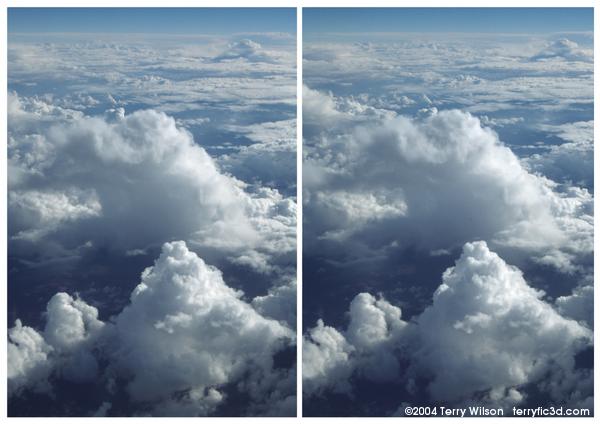
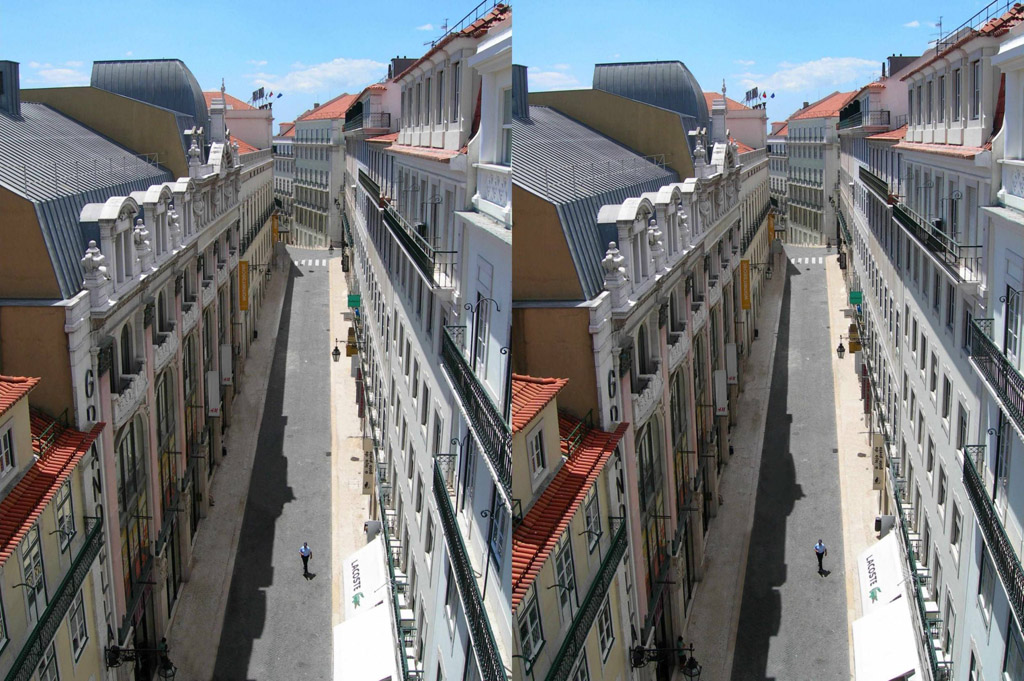
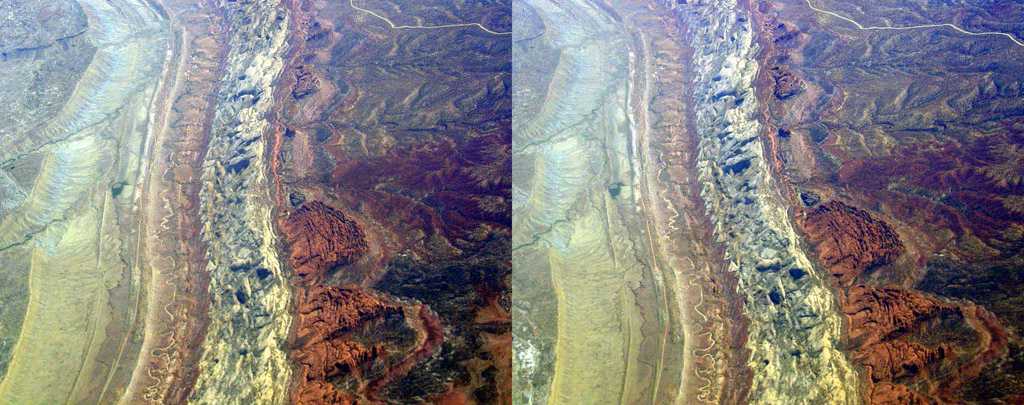
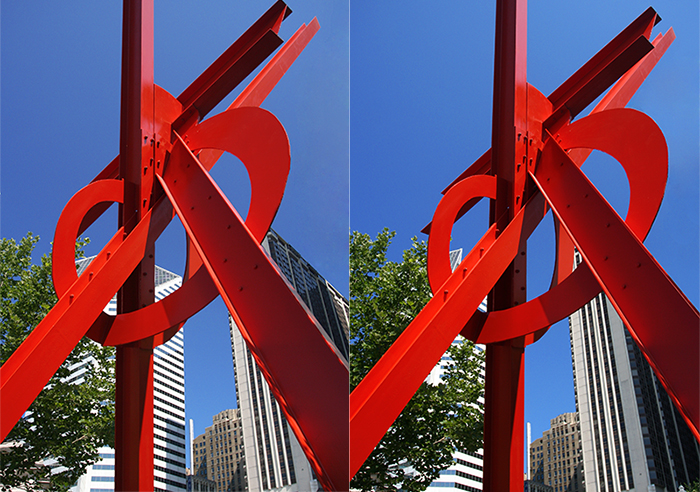
When you view 3d images in a viewer or with 3D glasses the optics of the viewer (or glasses) allow the left eye to see only the image intended for the left eye and the right only the image intended for it. With freeviewing both left and right images are always visible so you need to learn to point each eye at the correct image.
There are two methods of viewing for these images – the first is called Parallel viewing:
In parallel viewing the image for the left eye is on the left and the image for the right eye is on the right. You stare into the screen so that your eyes are aimed (more or less) parallel. As you stare into the screen you will get double vision as each eye sees the L & R images separately. When you are staring in at the right distance the middle two images will overlap and become 3d. The outer two images will remain and will still be 2d.
The second method is cross-viewing:
In cross eye viewing the image for the left eye is on the right and the image for the right eye is on the left. You stare at a point about 1/2 way to the screen so that your eye’s gaze is crossing at the half way point. Thus the left eye sees the correct image which is on the right. As you cross your eyes the image will go double. When your eyes are crossed the correct amount the middle images will overlap and be in 3d. The two outer images will remain and will be in 2d. [Source - go here for additional help viewing these images.]
On to the images! Click each image for a full size view and be sure to tell us what you think in the comments. Finally, many thanks to Denashi who suggested this list in the forums.
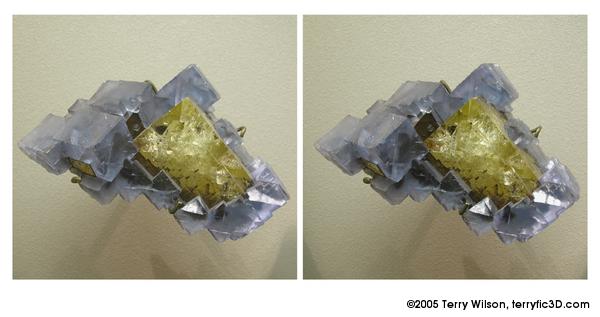
10. Fluorite
9. Mountains
8. English Cathedral
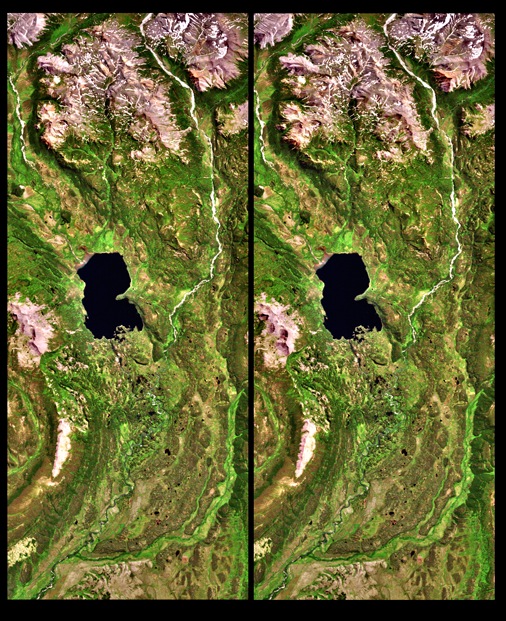
7. Lake Palanskoye
6. Countryside
5. Mount St Helens
4. Clouds
3. Lisbon, Portugal
2. Aerial View
1. Boston, USA
All images are copyright (c) their respective owners


These are all crossed-eyed stereos. The ones you find in the magic eye books are the parrallel veiwers (the pics of all the dots)
I can see these just fine but I have never been able to see those damn magic eyes. Well with the exception of one that was in .gif form online that was animated….THAT was awesome
I use the same process of crossing my eyes for these stereoscopic 3-D images as I do for the Magic Eye 3-D images and it works in both cases.
Ack, I cant see any of them… Is there a different way of doing it?
It reminds me of those magic eye things, but I can do them…
what exactly am i doing here
dangorironhide: you just have to persevere with them – I find the cross eyed trick works best for me – keep staring when you get the third image in the middle and don’t move your eyes – the image will sharpen up on its own
John – staring cross eyed at the images so you get a third image in the middle – keep looking at it and you will get a three dimensional image.
Wow, I got it now! I think I might have been too close to the screen before.
dangorironhide: pretty amazing huh?
These are really good! The only one I had difficulty with was Mount St Helens.
The one from Lisbon I think is my favorite!
The best way to see them is the crosseyed way in my opinion. Make sure you aren’t too close to the screen.
.yaw taht kcust er’yeht won ,elihw a rof seye ym dessorc I .thgir saw mom ym ssueg I !tihS
Lauren: that is my favorite too
bucslim: hehe – did you do that yourself or did you software?
He did it himself, because there are a few errors.
kcuts, not kcust.
Also, just cross your eyes. You have to have some control over how far you can cross your eyes. (I’m quite talented in that area, so these stereoscopic images are perfect for me.)
The images seem like they’re trying to converge while I’m starring at them, but it’s just a jumbled mess! As soon as the images start making since my eyes begin to water and I lose it!…. I feel like that guy in Mallrats, you know, the guy that can’t see the sailboat. lol
Thats sweet, I didn’t know that could happen! I think the clouds were the best, but they were all pretty cool.
It took a bit of effort to get my eyes to focus right (maybe 10 sec of strain) but after that I was able to keep the focus all the way through the page…
TerranRich: oh -duh – maybe i should have just checked like you did
Son of a…: you will get it – once you get it the first time it gets easier for the rest as InconsistentAngelThings has said
Jamie, bucslim, Terran: I used to type backwards all the time in a certain IRC. It drove everyone nuts cause they had to sit there and figure out what I said and I was just pounding it out faster than they could keep up. lol…
Good Times semiT dooG
Cant do it!
I’m getting the third image, but it won’t stay sharp. It’s like a dumb teenager in the production booth at a movie theatre…
Ravyn: I have a lot of trouble with the magic eye books too – but I find these all quite easy. And I would be driven nuts if you kept typing backwards too!
Juggz: keep trying – you will get there
chershey: heh – persevere on it – it is the best one.
man ive been starring at these for quite a while now and i just cant do it, i tried with and without my glasses, i tried different distances to the screen. I have never been able to to the magic eyes either maybe its just me.
awesome! you need to do a second list of these!
A note from Ken Gumby (Esq) “MY BRAIN HURTS!!”
Juggz: they do say that some people can’t do them – I guess you are one
It is a shame because the effect is amazing.
Emily: you bet I will be
bucslim: It can’t be worse than the headache I now have after looking at millions of these to pick the ones I liked most!
Juggz: Try this…
1. Put your finger between your eyes to where it is touching your nose.
2. Focus on your finger until everything in the background is a blur.
3. Slowly pull your finger away from your nose towards the screen keeping your focus on your finger.
4. Stop your finger half way between the screen and your face.
5. Keep you focus about that point as you change from your finger to the screen.
You should see 3 simular images. The middle one would be the one that you are looking for.
can’t do them either, it feels as if one eye is crossing more than the other
Brilliant! So simple, yet…
Awesome!
My favourite is the Lake Palanskoye picture, you can really see the height of the mountains around the lake!
Ravyn, what happens when if my finger pokes my eye first? Can I see the images through the tears?
Hey I’m finally good at something! All of those years of daydreaming and staring into space finally pays off!
I had no problems. Just stare at it till your eyes cross and you will see three images then just focus on the middle one. Good luck all you non- daydreamers out there.
I seem to have the opposite experience to most people…I can see magic eye pictures no problem, but I just can’t get these at all! I tried Ravyn’s advice but the moment I take my finger away my eyes automatically focus back onto the image. I’ll keep trying though, because I didn’t used to be able to see magic eye pictures, but when I managed it the feeling was great and I just wanted to view more! As a pointer, roughly how far should your head be from the screen?
Blogball: well done
Enjay: I can do it close or far – I think you need to experiment – start about where you normally sit maybe.
bucslim: lol…I said BETWEEN your eyes, not IN your eye…but I am sure that the tears will act as a spare lens to help you focus a bit better
Enjay: Most people have to train their eyes to obey their mind. The mind is used to readjusting focus to what is more. If you have your head about 2 feet away from the screen and then pull your finger from your nose towards the screen stop about halfway or 1 foot (2 feet is a normal comfort distance most people sit anyways…you should sit as far as comfortable but not so far you can not get your finger half way….that last part was in there for the knotheads who like to come up with those scenerios)
Incidentally, if I used a pair of 3D glasses (I’m sure I have some somewhere) to look at the images, would they work or are these designed specifically for freeviewing? Maybe it would help if I knew what I was looking for…I tried the tutorials, and I managed to see the trees and house image in 3D using the parallel method but I don’t seem to be able to do it when there isn’t a clear gap between the images.
Enjay – they won’t help – you need special images to use those glasses.
the images that the 3d glasses are intended for have three overlapped pictures one in cyan, one in magenta, and one normal. The glasses work as a filter so one eye is seeing the normal image and the cyan image while the other eye sees the normal and magenta. The brain is trained to find the middle ground and sees all three images but fuses them together since it only sees half of each colored image. The cyan and magenta then being there but not pronounced form a depth of sorts.
Basically it is decieving the mind to see what is intended.
These are just like those 3D images that were so popular back in the mid 90′s. I saw them all over shopping malls everywhere I went. If you have ever seen the movie Mallrats where the big dude is trying to stare at the picture to see the boat and can never seem to see it then you know which pictures I am talking about.
You just have to focus your eyes. Don’t try to MAKE them focus. Just let them focus. Maybe it’s me but I think it is easy.
Cool post! Thanks!
Brotherman: That is the Magic Eyes I was refering to. Those require parrellel veiwing. Or in basic focusing on a point beyond the picture. Since my eyes are they way they are, they are not capable of veiwing like that. Cross-eyed veiwing is just the oppisite where your focus point is between you and the picture. My eyes have been trained to veiw that way.
If I try looking at the picture from Mallrats (where the image ment for the right eye is on the right and the left eye on the left) I can not see it. These pictures are set that the image for the right eye is on the left and the left eye on the right.
Wow I talk to much…
I can’t do it… but still a great list! The images look neat on their own.
Tres magnifique,
My eyes actually snapped into focus for the one with the tree, i thought they were stuck, had to force them back under my control.
I can never see the “3d” ones made up of layers either, these were easy and impressive,,,just relax
good list
by the way, number 7 is difficult, the image is too
narrow, and my eyes are too old
For number 7, focus on the lake itself (that patch of blue), then let your eyes rest. Number 7 looks the most 3d compared to the rest.
The only ones that worked for me were the clouds and the thing in boston…
I love this! It took me a few tries to do it, but I’ve always been good at crossing my eyes… so I just crossed them until a third blurry image appeared between the other two and waited. I can’t believe it worked! Definitely a great list Jamie.
So frustrating….
I can do magic eyes without any trouble at all but these are just painful >.
We made our own stereo images in my Geography classes in college. It was like doing 3D mapping before GPS and Geographic Information Systems came along.
Shane S: how did you make them? I was very curious while looking these up.
Mom424: hehe – that happened to me too – I was worried the wind would change and I would be stuck like that for life!
I think I strained my focusing muscles. I’m gonna have to take a break and come back later, hahah!
I kick ass at magic eye… but this just does seem to be working out. Ravyn’s finger trick worked the best. But even when i do see a third image, it is so blurry that it doesn’t look cool. I’ve gotta little bit of an impression of it a few times, but nothing distinct. I blame astigmatism and the fact that it is finals time, and i have don’t nothing but type on a bright white computer screen for three days.
I can’t do it, I can never do things like this =( I really want to see.
The only one that I can consistently see is number 7.
I think 10 and 4 are made for parallel viewing, and the rest are for crossed eye viewing. Cross-eyed being eaiser for most people i think
But number 4 is hard to see parallel (atleast in the larger version) because the centers of each picture are almost as far apart as my eyes. Also wouldn’t it be impossible to do parallel if the centers were farther apart than your eyes? I couldn’t even focus (parallel) on the ones that were too far apart.
I’ll try again in the morning
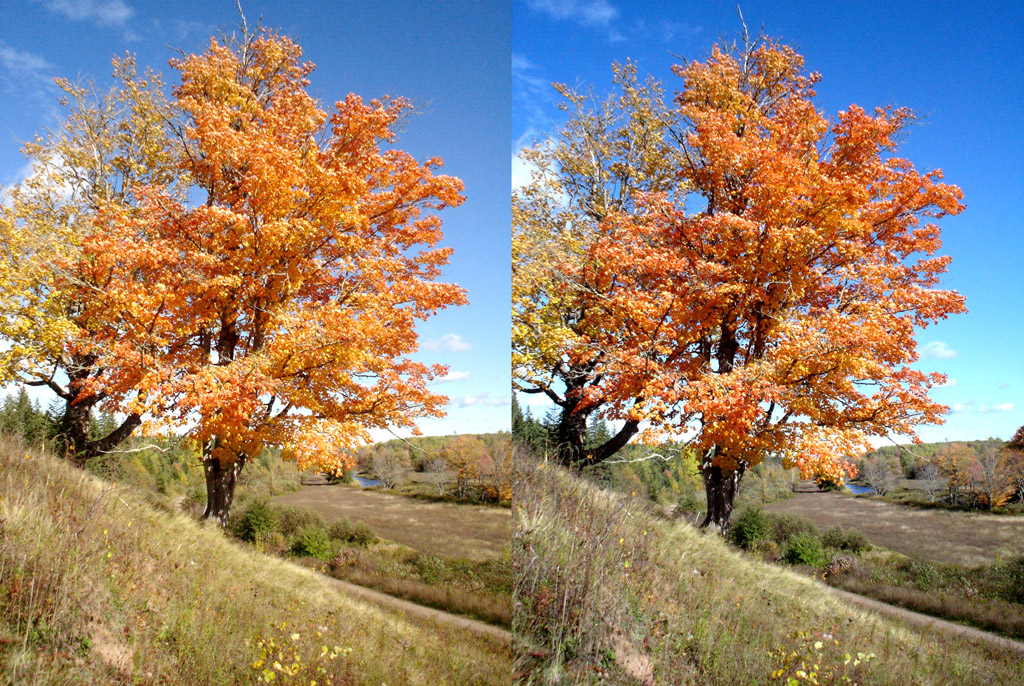
the clouds, the rock and the country side are the best.
AAAAAAARRGGGGHHHHHHH…..MOTHER******!!!!!!
this is the most painful and headache causing list ever….and the fact that half the ppl commenting CAN do it isnt helping either….
Yatta!!!!
hehe posted too soon…shouldve read the instructions properly….well its not THAT amazing….i guess i was expecting a lot after all that staring
These are really amazing. I want MORE NOW! Thanks.
At first, I could only do some and not the others – and then I figured out that as soon as you manage to get one example….keep your eyes and the distance the same and just scroll up and down and you should be able to see all of them – just prepare your mouse first!
To elaborate since I just realized I wasn’t clear:
I found that not all the images were viewable when opened in separate windows – some images I think are too wide to cross over each other when you cross your eyes.
Stay on THIS page, cross your eyes to view a simple image, like Number 7, and then once you view the 3d image, scroll up and down to view all of them. I find that this works without much effort.
It hurts toooo much
I still can’t do it even following all the directions here. Anyway I just want to wish you all a very Merry Christmas ( I don’t care if it is politically incorrect)and Jamie I hope you have a great trip. Be prepared for a hot and humid visit.
Me too Juggz.
I can’t figure out the techniques, maybe my eye’s are just stupid.